Ample Bass P v4.0.0 Full version
- Last Updated: 18-04-2025, 20:29
- License type: Full | Activator
- File size: 3.70 GB
- Official Website: Ample Sound Technology
- Rar Password: www.4download.net
Report Submitted
Thank you for reporting this issue. Our team will check the download links shortly.


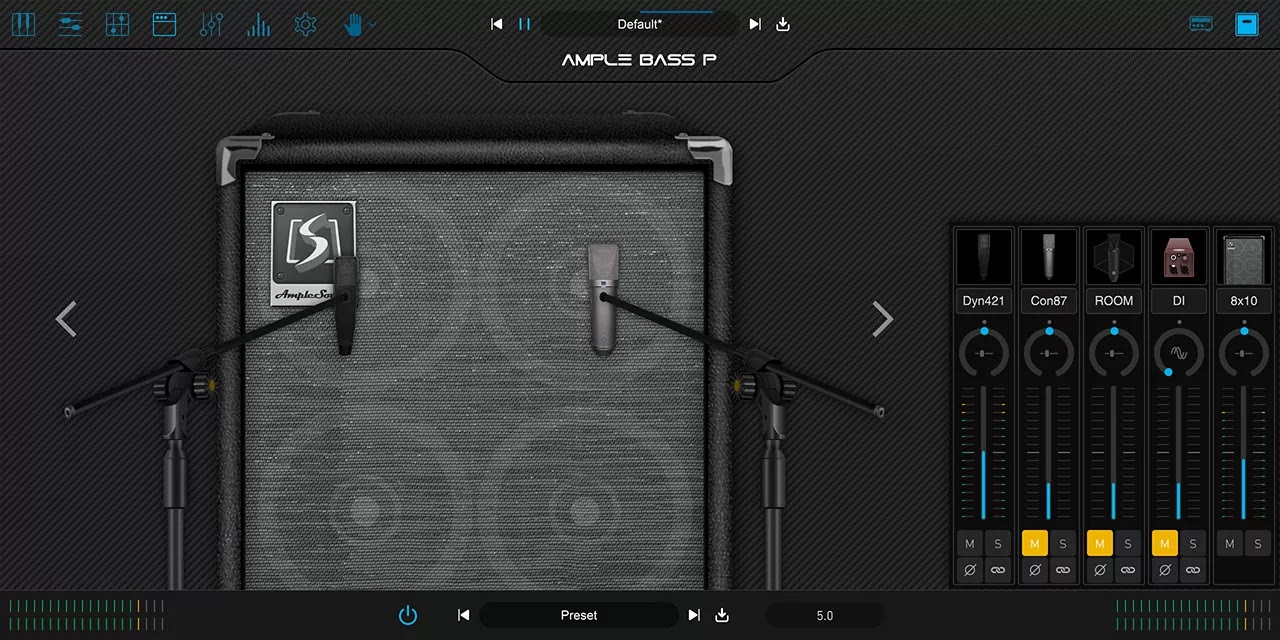


Ample Bass P is based on a classic Fender Precision Bass, offering an extensive range of realistic articulations and an all-new MIDI composition system. It is an essential electric bass instrument for modern music production. System Requirements:
- Mac: macOS 10.15 or later.
- Windows: Windows 7 to Windows 11 (64-bit)
- Plugin Formats: VST2, VST3, AU, AAX, and standalone host(Rectangles)
- Disk Space: Over 20 GB, SSD is recommended.
- CPU: Intel i5 or higher
Sampling:
- Sustain, Palm Mute, Natural Harmonic, Hammer On & Pull Off, Legato Slide, Slide in, Slide Out, Slap, Pop, Tap, Accentuated, Repeat Note, Dead Note 13 articulations, Size: 3.60 GB.
- Polyphonic Legato and Slide Smoother: Enables realistic legato across any interval and speed.
- Drop tuning supported, with lowest note down to B0 .
Riffer 4:
- A MIDI editor tailored for plucked string instruments.
- Dual View Modes: Seamless real-time switching between Piano Roll and Guitar Tab views — a first of its kind, offering two perspectives for reviewing and editing the compositions.
- String Visualization System: Strings are now visualized within the Piano Roll, enabling MIDI writing that adheres to authentic plucked instrument techniques — automatically preventing polyphony on the same string and intelligently assigning fingering. The result is MIDI that sounds closer to real performance.
- Full MIDI Import/Export Compatibility: Whether import external MIDI files or export from Riffer to DAW's MIDI or instrument track, the playback result remains identical and accurate.
- Intuitive Technique Editing: Easily program fingering, articulation, legato, and expression — no need for cumbersome key switches or complicated MIDI CC programming.
- New MIDI CC and Velocity Editors: View and edit multiple MIDI CC lanes simultaneously with different colors and transparency. One-click CC curve presets allow fast and expressive automation.
- Extensive Riff Library:Hundreds of brand-new bass riffs to spark creativity and accelerate the workflow.
Tab Reader 4:
- Supports Guitar Pro files from GP3 to Guitar Pro 8. Files created using third-party tab editing software (not officially from Guitar Pro) are not supported.
- Capable of importing entire bass tracks into Riffer with full retention of fingering, articulations, and performance data.
AMP and FX system:
- Built-in AMP system: including three classic AMP models: Vintage-15, Bass-500, Bass-Pro. Virtual Bass Amp System: Includes 3 classic bass amp heads — B15R, BA500, and SVT-Pro; 4 cabinet options: 1x15, 2x10, 4x10, 8x10, Each cabinet supports 4 mic types: U87, C414, MD421, SM57.
- Built-in effects: 8-band EQ, Compressor, Delay, and Convolution Reverb.
Download Ample Bass P v4.0.0 Full versionAmple Sound, VSTi Plugins, VST2 Plugins, VST3 Plugins, AAX Plugins, AU Plugins, Bass Plugins, 64 Bit Software


All software listed on this site is provided for educational and testing purposes only. We strongly encourage users to support the developers by purchasing official licenses from the original creators. If you find this software useful, please consider buying it legally.

Discussion
Ask questions, get technical support, share solutions, and discuss everything related to this download.
No discussions yet
Be the first member to start a discussion.
Your Feedback Matters
Share your experience, provide feedback, or post a brief comment about this software. For questions, technical support, troubleshooting, or community discussions, please use the Discussion Center above.