Explore a wide collection of applications, tools, and plugins including audio production, video editing, graphic design, development and productivity software.
Homepage » SoftwareX » Adobe Premiere Pro 2025 v25.4.1 for MacOS

Download Adobe Premiere Pro 2025 v25.4.1 for MacOS

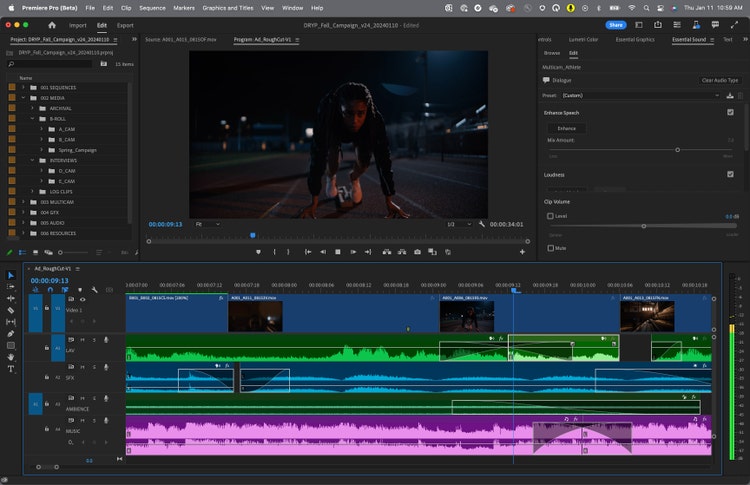
Adobe Premiere Pro CC for Windows PC offers breakthrough performance for video production, enabling you to work dramatically faster thanks to the revolutionary native 64-bit, GPU-accelerated Adobe Mercury Playback Engine.

Besides color, audio, and graphics tools, Premiere Pro works seamlessly with other apps and services, including After Effects, Audition, and Adobe Stock. Open a Motion Graphics template from After Effects or download one from Adobe Stock and customize it — all without leaving the app. And Premiere Pro integrates with hundreds of partner technologies.

Premiere Pro comes with the all-new Premiere Rush CC, an all-in-one app that works across your devices. Capture footage on your phone, then edit and share to social channels on your phone, tablet, or desktop. Or open your Rush files in Premiere Pro if you want to take them further.

KEY FEATURES:

  • Mercury Playback Engine
  • High-fidelity interchange
  • Sync Settings
  • Multicam editing
  • Edit video faster than ever before
  • Project and media management
  • Broad format support
  • End-to-end metadata workflow
  • Greater audience reach
  • Mobile editing with all-new Premiere Rush
  • End-to-end VR 180
  • Intelligent audio cleanup
  • Data-driven infographics Motion Graphics templates
  • Adobe Stock enhancements
  • Creative Cloud Library improvements
  • Theater Mode in Adobe Immersive Environment
  • Australian closed-captioning standard

System Requirements and Technical Details

  • Processor: Intel 64-bit CPU
  • Apple M1/M2 chip
  • Operating system: macOS X v10.15 or later
  • RAM: 16 GB of RAM (32 GB recommended)
  • 4 GB of GPU VRAM
  • Hard disk space: Fast internal SSD (recommended) for app installation and cache – plus provisional space for media
  • Monitor resolution: 1920 x 1080 or greater display resolution
  • Video card: 32-bit video card
Adobe Premiere Pro 2025 v25.4.1 for MacOS

Download Adobe Premiere Pro 2025 v25.4.1 for MacOS

Adobe Premiere Pro 2025 v25.4.1 MacOS.rar
16.9 GB | Download Link | Pass: www.4download.net
DOWNLOAD NOW
Fake MailZ: Fake Email Generator

Comments 39

Respect yourself and others!


  1. rsx
    rsx
    12 February 2026 10:43
    sir,, download link is not not not working
  2. rsx
    rsx
    12 February 2026 10:42
    sir,, download link is working
  3. Yuksna
    Yuksna
    12 February 2026 07:06
    My Premiere Pro 25 Opens and shows THIS APP IS LLEAGLE kinda message when net is on.
    I have tried everything but nothing works(yes I pasted all the files too). Help me please
  4. Jolo
    Jolo
    9 February 2026 15:03
    Adobe premiere pro
  5. Chaton
    Chaton
    3 February 2026 07:50
    Hi the link is dead :(
  6. mike f
    mike f
    11 January 2026 14:57
    I keep getting the "This app will disable" pop up message telling me that my premier pro isn't a genuine product. How do I get rid of that? It worked fine for a couple days
    1. vicdecreator
      vicdecreator
      19 February 2026 00:36
      don't turn on your internet when your about to use the software, so it wont update any issues
  7. Assane Diop
    Assane Diop
    4 January 2026 10:00
    je veux télécharger premier pro pour monter des vidéo
  8. hope
    hope
    17 December 2025 02:08
    1. Run 'Adobe Premiere Pro 2025 v25.4.1 macOS.dmg'

    1.1 Install the minimum Creative Cloud runtime
    '/Extra/Minimum Creative Cloud/Runtime_ARM64.pkg'

    1.2 Run the installer
    '/Volumes/Adobe Photoshop v26.2.0 (Adobe Installer)/Install/Install.app'
    It might say "The installation cannot continue as the installer file may be damaged. Download the installer file again."

    1.2.1 If the error above did appear, then right click 'install.app' and click 'Show Package Content'

    1.2.2 Run the installer script inside instead
    '/Contents/MacOS/Install'

    2. Then we need to replace official folders with cracked folders from 'Crack.zip'

    2.1 Extract 'Crack.zip' and open it. There should be 3 folders inside
    'MacOs', 'Plugins', 'Frameworks'

    2.2. Locate the Premiere app in Finder
    '/Applications/Adobe Premiere Pro 2025/Adobe Premiere Pro 2025.app'

    2.3 Right-click it and click 'Show Package Content'

    2.4 Remove 'MacOs', 'Plugins', 'Frameworks'

    2.5 Copy these three cracked folders from 'Crack.zip' to this directory

    3. Then we need to grant admin permission to edit 'hosts' file to block the Adobe telemetry

    3.1 Open a terminal and type 'sudo nano /etc/hosts', and type your account password to grant admin permission
    This should open the 'hosts' file inside the terminal

    3.2 Copy all the content from https://a.dove.isdumb.one/list.txt

    3.3 Paste all these contents at the end of the 'hosts' file

    3.4 Press '^X' to exit and press 'Y' to save

    4. Premiere should be able to run properly without an account now
    1. san
      san
      8 January 2026 14:29
      Perfect bro
  9. PSYCORPSE_INDIA
    PSYCORPSE_INDIA
    9 November 2025 20:13

    The installation is broken, I've downloaded it twice. Same error...please help

  10. Helper
    Helper
    3 November 2025 03:30

    I got it working. You have to install the program from the installer and replace the files in the "crack" folder in the Premiere Pro root folder so that the alert doesn't appear and it works.

    1. Ki
      Ki
      26 November 2025 23:34
      Bro I'm a new mac user, would you be able to make a step by step. cause the installation directions dont make sense.