RC-20 Retro Color v1.2.6 Build 220322 WIN
- Last Updated: 5-04-2022, 07:13
- License type: Full Version
- File size: 71.5 MB
- Official Website: XLN Audio
- Rar Password: www.4download.net
Report Submitted
Thank you for reporting this issue. Our team will check the download links shortly.
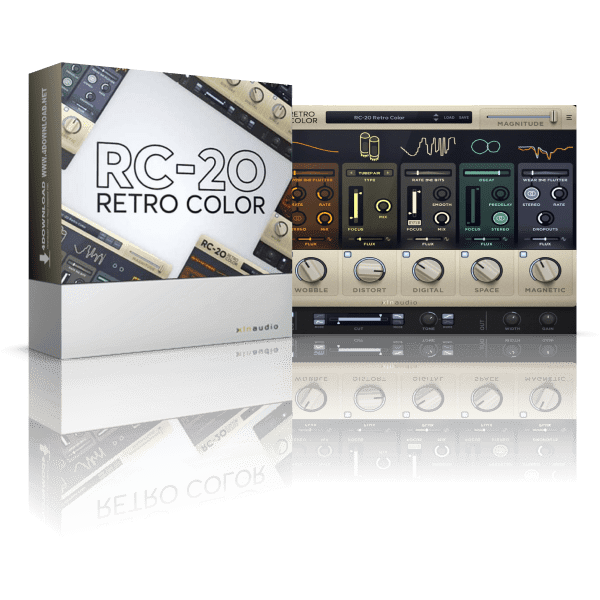


XLN Audio RC-20 Retro Color is a VST audio effect designed for adding analog warmth to digital tracks. It can be used for multiple purposes, but it’s particularly helpful for emulating vinyl and tape sounds and providing some old-school character to digital instruments. Vintage equipment can be expensive and impractical in the digital-audio age. However, there are some downsides to making music exclusively inside a DAW. While it’s arguable whether analog sounds better than digital or not, one thing’s for sure: a bit of noise, tape distortion, and unpredictability can turn any boring digital instrument into a more lively, interesting sound.
The growing popularity of Lo-fi music—such as the relaxing Lo-fi hip-hop beats you can find all over YouTube—inspired software developers to come up with VSTs that attempt to emulate the character of old-school recording equipment. Digital sounds can be annoyingly flat and almost too perfect to keep the listener interested. RC-20 Retro Color is one of the most comprehensive plugins out there for recreating the subtleties and imperfections of analog music.
Add life and texture with one of RC-20's many noise types, from subtle vinyl crackle and tape hiss to ambient studio noise, electric circuit hum and stompbox static noise.
Wobble adds pitch inconsistencies associated with unstable playback on analog gear, like vinyl record players and tape machines.
Add everything from mild saturation to raging fuzz with one of RC-20's many distortion types.
Recreate the sound of vintage digital gear like old-school samplers, and the unmistakable way limited sample rates and bit rate reduction color sound.
Add depth and width to your tracks with RC-20's tailored reverb module.
Reproduce the wear, tear and volume loss associated with recording and playback on tape and tape recorders.
Dial-in the perfect amount of your effects, or quickly create intros, outros, drops and transitions to take your mix to the next level.
Download RC-20 Retro Color v1.2.6 Build 220322 WINXLN Audio, RC-20 Retro Color, VST Plugins, VST2 Plugins, AAX Plugins, 64 Bit Software


All software listed on this site is provided for educational and testing purposes only. We strongly encourage users to support the developers by purchasing official licenses from the original creators. If you find this software useful, please consider buying it legally.

Comments 71