PhotoInstrument v7.7 Build 1012 Full version
- Last Updated: 7-11-2019, 15:36
- License type: Full Version
Download
Report Submitted
Thank you for reporting this issue. Our team will check the download links shortly.

How to Download from 4download.net
Quick step-by-step video guide for new users.
Watch Guide
PhotoInstrument is a powerful and easy-to-learn raster graphics editor used to process digital photographs. With only a few clicks, anyone can solve most digital photo problems: 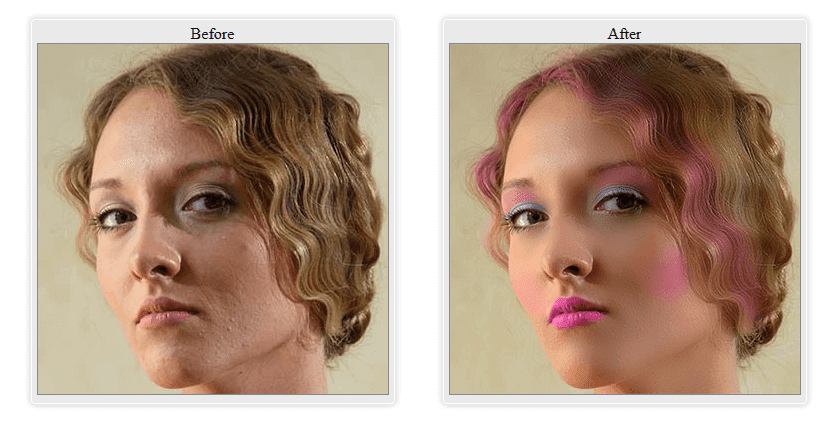
Look down for it is important features:
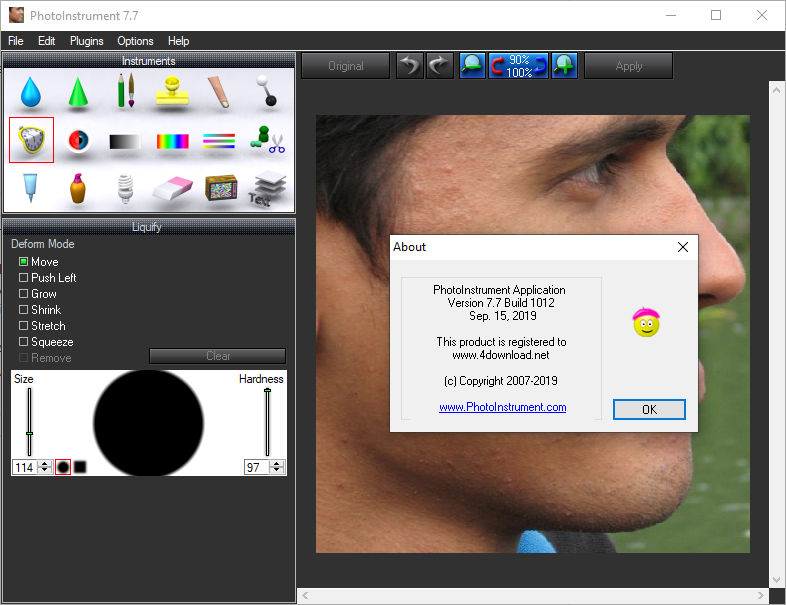
Current version includes these instruments:
Requirements: Windows NT4 / 2000 / XP / Vista / 7 / 8 / 8.1 / 10
- Photo Editing
- Photo Retouch
- Draw MakeUp
- Make your photo look like it's taken by a professional photographer.
- Save as Animated Gif
- Support Photoshop-compatible plugins
- Add text to an image.
- Overlay two and more images.
- Drag and drop to open photos in this photo editor.
- Copy/Paste image from Clipboard.
- Batch Resizing (resize multiple images)
- PSD file (PhotoShop Format) support in Editing.
- Multi Language support.
- Save to computer as .jpg, .png, .bmp and other file formats.
- Huge brush sizes up to 1000 pixels
- Multi-CPU support
- And many more features...
- Liquify
- Clone
- Smudge
- Skin Cleaner
- Glamour Skin
- Dodge / Burn
- Brush
- Blur
- Sharpen
- Colorize
- Scale
- Rotate
- Red Eye Removal
- Brightness-Contrast
- Adjust Color Levels
- Glow
- Healing Brush
- Denoise
- Object Removal
- Crop
- Layers
- Text
- many useful plug-ins
Download PhotoInstrument v7.7 Build 1012 Full versionImage Editor, 32 Bit Software
DISCLAIMER
All software listed on this site is provided for educational and testing purposes only. We strongly encourage users to support the developers by purchasing official licenses from the original creators. If you find this software useful, please consider buying it legally.

Discussion
Ask questions, get technical support, share solutions, and discuss everything related to this download.
No discussions yet
Be the first member to start a discussion.
Your Feedback Matters
Share your experience, provide feedback, or post a brief comment about this software. For questions, technical support, troubleshooting, or community discussions, please use the Discussion Center above.