Zortam Mp3 Media Studio Pro v34.00
- Last Updated: 27-08-2026, 00:54
- License type: Full Version
- File size: 36.6 MB
- Official Website: Zortam
- Rar Password: www.4download.net
Report Submitted
Thank you for reporting this issue. Our team will check the download links shortly.

Automatic Music Tagging
Identify songs automatically and add accurate artist, title, album, genre, year, and other music metadata.
Music Library Organization
Organize large music collections with batch tagging, file renaming, duplicate detection, and metadata management.
Album Art & Lyrics
Find album artwork and lyrics and add them directly to your music files for a more complete library.
Music Collection Management
Organize and maintain large digital music collections with detailed metadata and file management tools.
Automatic Music Tagging
Identify music files and add useful track information such as artist, title, album, genre, and year.
Album Artwork
Add album artwork to your music library to make tracks easier to identify and organize.
Lyrics Management
Search for lyrics and add lyric information to supported music files for a more complete library.
Duplicate Detection
Find duplicate tracks and clean up unnecessary copies when managing large music collections.
Audio File Management
Work with supported audio files and manage metadata across different formats in your collection.
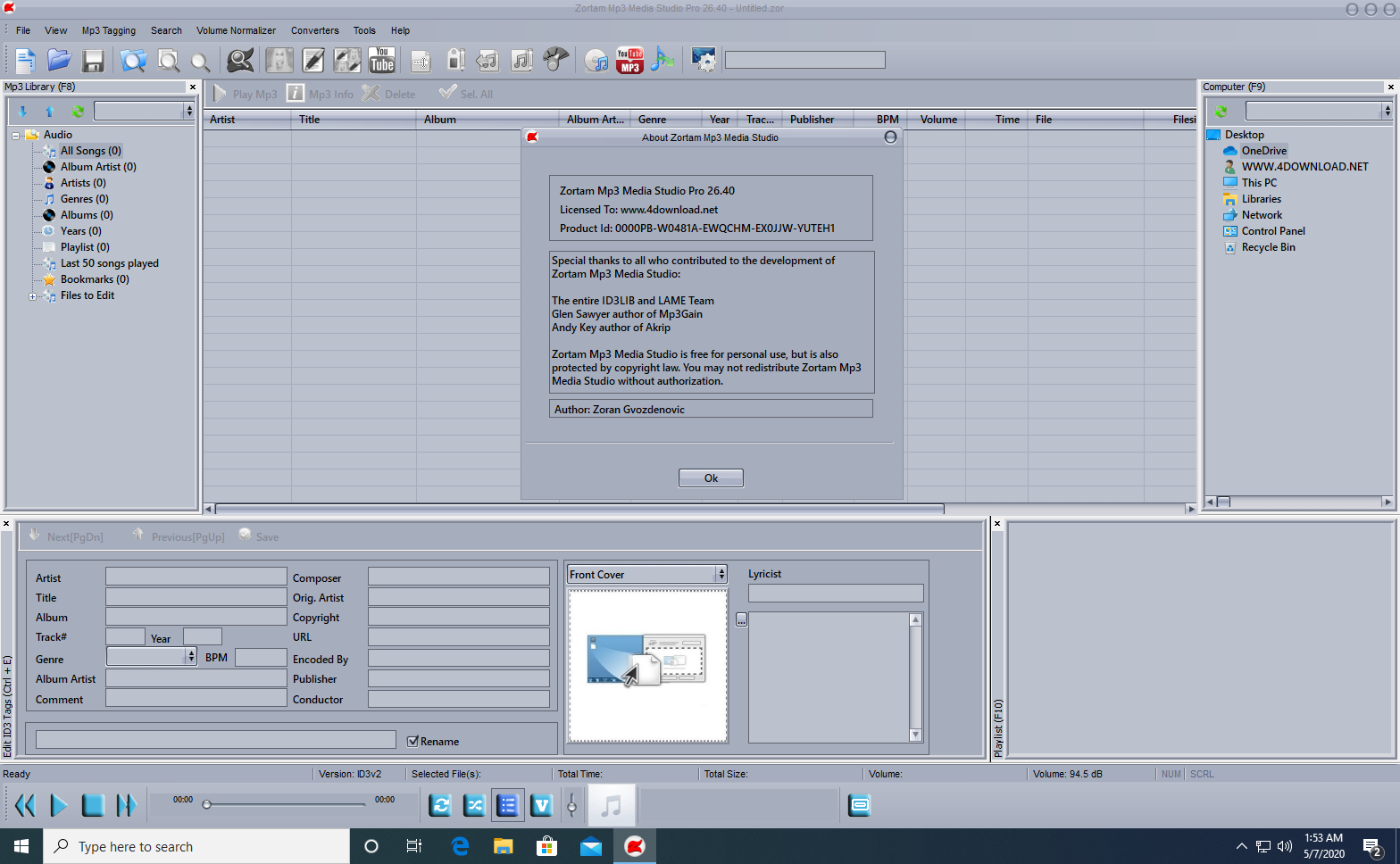
Zortam Mp3 Media Studio is an automatic music tagging and library management application designed to help users organize large collections of digital music. Its audio fingerprinting technology identifies songs and retrieves metadata from a database containing more than 35 million music tracks.
Automatic Music Tagging
Zortam can identify supported audio files and automatically add information such as artist, song title, album, year, genre, and track details. The software supports MP3, FLAC, WMA, M4A, and WAV files, making it suitable for collections containing multiple audio formats.
The automatic tagging process can also download album artwork and lyrics and save this information directly into the music file tags. This makes the metadata available to compatible players and devices.
Music Library Organization
Beyond tagging, Zortam provides tools for managing and cleaning up music collections. Users can rename files based on their metadata, repair broken metadata and encoding, and locate duplicate tracks using tag information, filenames, audio checksums, or metadata checks. Batch processing allows large libraries to be processed more efficiently.
Lyrics, Artwork, and Audio Tools
The software includes synchronized and plain-text lyrics searching, allowing users to add karaoke-style lyrics where available. It also provides high-resolution album artwork downloading, volume normalization, and BPM analysis for organizing music by playback level or tempo.
Other features include an integrated audio player and the ability to export a music library to CSV, Excel, or HTML. The site also lists a YouTube-to-MP3 conversion feature for creating offline audio files from video sources.
Key Features
System Requirements
Basic requirements for running Zortam Mp3 Media Studio.
Frequently Asked Questions
Download Zortam Mp3 Media Studio Pro v34.00Zortam, MP3 Tagger, Audio Player, 32 Bit Software, 64 Bit Software



All software listed on this site is provided for educational and testing purposes only. We strongly encourage users to support the developers by purchasing official licenses from the original creators. If you find this software useful, please consider buying it legally.

Discussion
Ask questions, get technical support, share solutions, and discuss everything related to this download.
No discussions yet
Be the first member to start a discussion.
Your Feedback Matters
Share your experience, provide feedback, or post a brief comment about this software. For questions, technical support, troubleshooting, or community discussions, please use the Discussion Center above.