Explore a wide collection of applications, tools, and plugins including audio production, video editing, graphic design, development and productivity software.
Homepage » Software » MacOS » Audio Tools » Audio Plugins » Expanded Softsynth Plugin for MONTAGE M v3.0.1 MAC
Download Expanded Softsynth Plugin for MONTAGE M v3.0.1 MAC

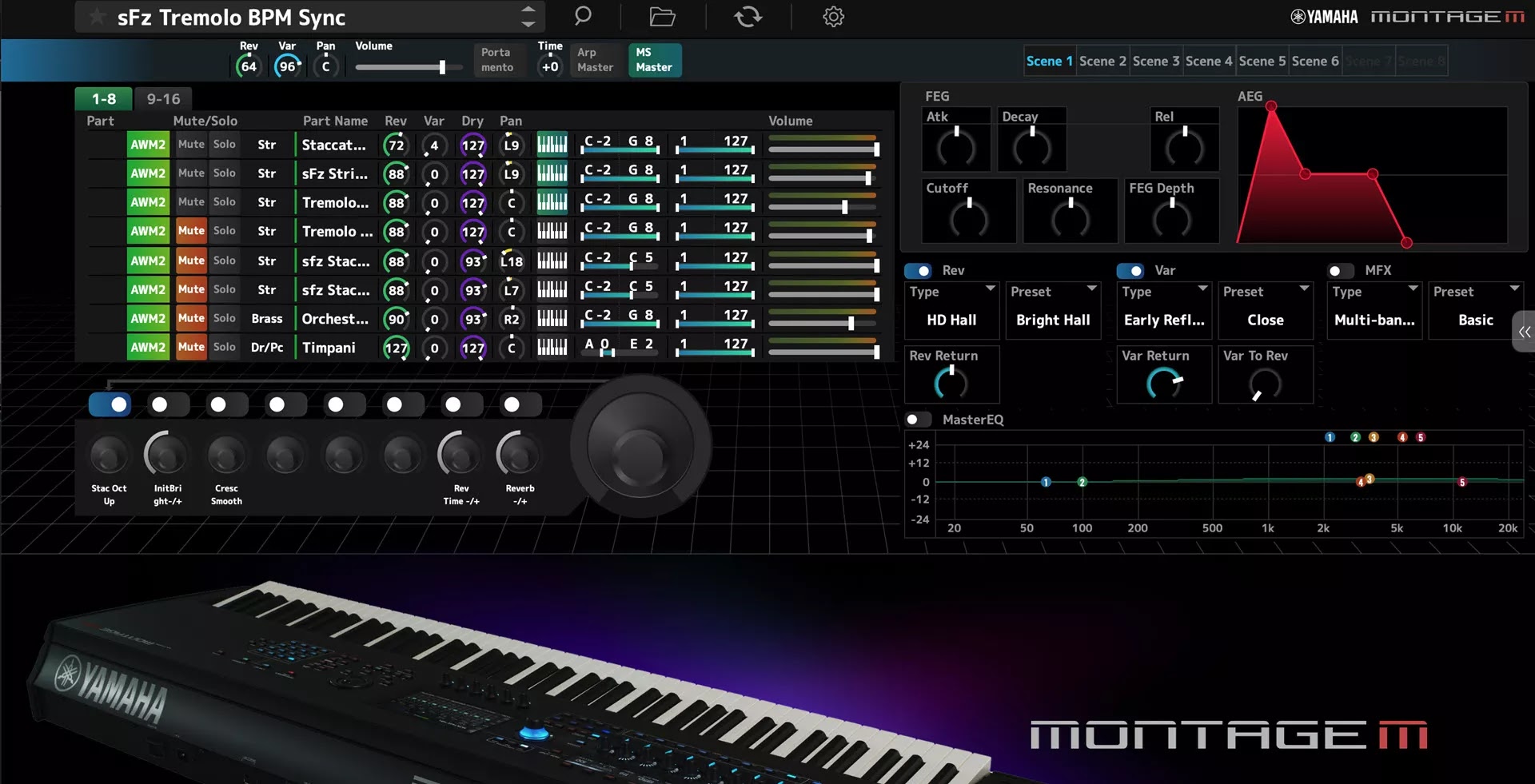
Expanded Softsynth Plugins for MONTAGE M (ESP) is the software for MONTAGE M Owner. ESP is not sold separately.

A game-changer for recording musicians, the Expanded Softsynth Plugin (ESP) replicates the MONTAGE M in your favorite DAW.

Free for all registered MONTAGE M owners, the ESP allows you to create, edit and mix MONTAGE M Performances anywhere you happen to be without the hardware.

No other competitor has this level of seamless integration.

Advantage of ESP (software)

  • Ultimate mobility - You can realize all of MONTAGE M just by laptop.
  • Ultimate Work Efficiency - Offline processing, rendering.
  • All settings are saved in your DAW project for easy totall recall.
  • Can be launched on any number of ESP as long as your PC specifications allow.
  • Can be edited more information on the large PC screen.
Expanded Softsynth Plugin for MONTAGE M v3.0.1 MAC

Download Expanded Softsynth Plugin for MONTAGE M v3.0.1 MACYamaha Corporation, Expanded Softsynth, VSTi Plugins, VST3 Plugins, AU Plugins, Synthesizer, 64 Bit Software

Yamaha Expanded Softsynth Plugin for MONTAGE M v3.0.1 MAC-VR.rar
7.14 GB | Download Link | Pass: www.4download.net
DOWNLOAD NOW
Fake MailZ: Fake Email Generator

Comments 46

Respect yourself and others!


  1. Ali
    Ali
    31 January 2026 16:14
    I just installed the plugin and applied the patch but it doesn't produce no sounds!!!!

    Any solutions please.
  2. Slim
    Slim
    28 January 2026 15:26
    Essayer de desactiver l'antivirus et internet avant de l'installer
  3. Yavsi
    Yavsi
    23 January 2026 05:32
    It works with Reaper and Gig Performer MacBook Pro i7 16Gb Ram
    1. bigoma
      bigoma
      17 March 2026 07:10
      mine hungs on which disk to install software how did you install?
  4. Yavsi
    Yavsi
    23 January 2026 05:30
    It works with Reaper and Gig Performer!
  5. Albert
    Albert
    23 January 2026 01:30
    Can anyone sell the license?
  6. Jaylin
    Jaylin
    20 January 2026 15:54
    @clive the 2.0.2 version is nowhere to be found
  7. Michael
    Michael
    20 January 2026 14:01
    Please can someone help me i use a macbook pro 2019 and i can't have it installed on my mac... my laptop is an intel... Please guys a step by step guide will be so appreciated..
  8. Ritik
    Ritik
    19 January 2026 20:39
    Can't see this inside Logic Pro but can see it in plugin manager. Also i turned it to read and write in vst3 and components
    1. as
      as
      22 February 2026 08:49
      same issue
  9. Albert
    Albert
    19 January 2026 13:02
    Could some kind soul please give us instructions on how to save the license? Everything works, but the screen goes black because it detects that there's no license... Thank you very much.
    1. meriq
      meriq
      23 January 2026 00:01
      you have to disable your sip
      1. moos
        moos
        2 February 2026 15:33
        what is a sip and where do I find it
  10. Amron
    Amron
    19 January 2026 10:28
    Can someone help me with MacBook Pro M1. I’m not able to see any Yamaha montage plugin inside my DAW.
    1. clive
      clive
      19 January 2026 11:16
      make the plugin app in your au or vst folder all read and write
      1. Amron
        Amron
        22 January 2026 04:32
        Thank you! Still it's not showing up! :-(