Xfer Records Serum 2 v2.1.5 for Windows
- Last Updated: 21-07-2026, 02:08
- License type: Full Version
- File size: 9.39 MB
- Official Website: Xfer Records
- Rar Password: www.4download.net
Report Submitted
Thank you for reporting this issue. Our team will check the download links shortly.

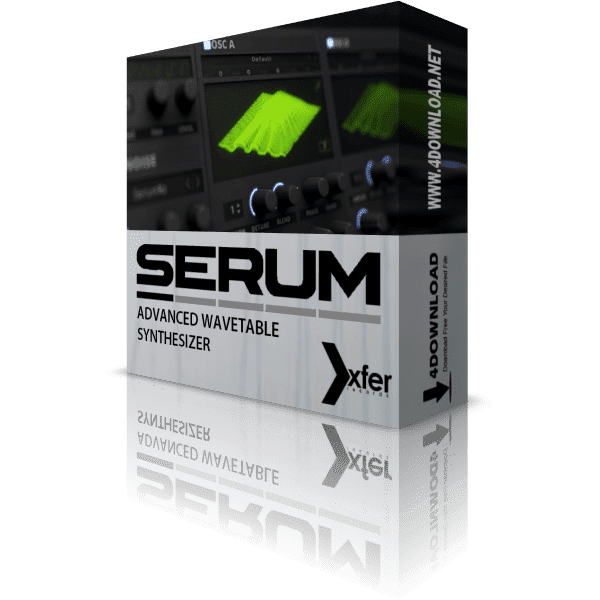

Next-Generation Wavetable Engine
Serum 2 introduces an enhanced wavetable engine with smoother interpolation, higher-quality oscillators, and expanded sound design possibilities for modern music production.
Advanced Multi-Engine Synthesis
Combine wavetable, sample, granular, spectral, and other synthesis methods within a single preset to create incredibly rich, evolving, and expressive sounds.
Powerful Effects & Modulation
Shape your sound using an expanded collection of premium effects, flexible modulation routing, LFOs, envelopes, macros, and intuitive drag-and-drop workflow.
Advanced Wavetable Synthesis
Create modern leads, basses, pads, plucks, and evolving textures using Serum 2's powerful wavetable synthesis engine with exceptional sound quality.
Deep Sound Design
Build unique presets with flexible modulation, multiple oscillator types, filters, envelopes, LFOs, and an extensive collection of professional effects.
Electronic Music Production
Perfect for EDM, House, Techno, Trance, Future Bass, Dubstep, Trap, Drum & Bass, Pop, and other electronic music genres.
Preset Creation & Editing
Design your own signature sounds from scratch or customize factory and third-party presets to fit any production style.
Hybrid Multi-Engine Synthesis
Combine wavetable, sample, granular, spectral, and other synthesis methods within a single instrument to create complex layered sounds.
Professional Studio Workflow
Optimized for fast sound creation, low CPU usage, and seamless integration with all major DAWs for professional music production.
Serum 2 is a professional-grade virtual instrument (VSTi) that focuses on wavetable synthesis, allowing users to generate, manipulate, and customize sounds in detail. Built for Windows systems, it integrates seamlessly with most digital audio workstations (DAWs), making it a versatile addition to modern music production setups.
The plugin is designed for a wide range of users, including electronic music producers, composers, and sound designers who require precise control over their audio output. Serum 2 features a real-time wavetable editor, enabling users to create unique waveforms from scratch or modify existing ones. Its advanced modulation system supports complex routing, while built-in effects provide additional sound shaping capabilities.
With a visually responsive interface and high-performance audio processing, Serum 2 offers both usability and depth. It is commonly used in genres such as EDM, hip-hop, cinematic scoring, and experimental sound design, making it a flexible tool for various creative workflows.
Main Features
Advanced Wavetable Engine
Create rich and evolving sounds with high-quality wavetable synthesis, smooth interpolation, and extensive waveform editing.
Multiple Oscillator Types
Combine wavetable, multisample, granular, spectral, and traditional oscillators to build unique hybrid instruments.
Flexible Modulation System
Assign envelopes, LFOs, macros, velocity, and MIDI controls to almost any parameter with intuitive drag-and-drop routing.
Powerful Filter Collection
Shape your sound using analog-inspired filters, comb filters, formant filters, and creative processing modes.
Professional Effects Rack
Enhance your patches with distortion, reverb, delay, chorus, phaser, compressor, EQ, flanger, and many more built-in effects.
Spectral Processing
Explore advanced spectral manipulation tools to transform harmonics and generate modern, cutting-edge textures.
Arpeggiator & Sequencer
Create rhythmic melodies, chord patterns, and dynamic sequences using the integrated arpeggiator and note tools.
Modern User Interface
Enjoy a clean, scalable interface with real-time waveform displays and streamlined workflow for faster sound design.
Extensive Preset Library
Access hundreds of professionally designed presets covering EDM, cinematic, trap, pop, ambient, bass, leads, and more.
Optimized Performance
Engineered for efficient CPU usage while maintaining premium audio quality for demanding music production projects.
MPE & MIDI Support
Take advantage of expressive MPE controllers, MIDI Learn, automation, and advanced performance capabilities.
Cross-Platform Plugin
Compatible with major DAWs on Windows and macOS in VST3, AU, and AAX formats for seamless integration.
System Requirements
Minimum requirements for Xfer Records Serum 2.1.5 on Windows.
Frequently Asked Questions
Changelog v2.1.5
New Features & Improvements
Added several new features including host state lock restoration, modulation matrix shortcuts, sustain options for mono playback, FX rack scroll memory, mono-to-stereo processing for Serum FX, tuning support for pitch expression, environment auto-zoom persistence, fine adjustment controls, and new theme customization colors.
Workflow Enhancements
Improved usability with right-click "Show in Matrix", better custom curve editing, smoother parameter adjustments using the Shift key, and more intuitive modulation workflow throughout the synthesizer.
Audio & Playback Fixes
Fixed multiple playback issues affecting arpeggiator timing, LFO behavior, portamento, clip player automation, distortion when loading 32-bit PCM WAV files, mono legato expression, multisample playback, and various transport synchronization problems.
Preset & File Compatibility
Improved compatibility for SFZ, WAV, FLAC, and Serum 1 presets while fixing preset database synchronization, metadata importing, preset notes preservation, loop handling, Google Drive synchronization, and multisample undo history.
Stability Improvements
Resolved several crashes related to Convolve FX, default preset loading, Windows Acid Ladder settings, and various edge-case bugs to provide a more stable and reliable production experience.
Download Xfer Records Serum 2 v2.1.5 for WindowsXfer Records, Serum, VSTi Plugins, VST3 Plugins, AAX Plugins, Synthesizer, 64 Bit Software


 -X-.rar&
size=1.21 GB&
password=www.4download.net&
image=https://blogger.googleusercontent.com/img/b/R29vZ2xl/AVvXsEhN4r2cZLMqQ_zNJ7Yf1mTy3zCa21TpaCD1CdE-E2YEpX5idT8qNqj0O5WpJspMHSbLwg7FqM_bmI1mPgpSgeeIfbGaS2fHI2epBTdEuJYMW-Z1bU5dOZ67817mivFgDCbrN1hOLT3-Ofs0AAZIEc8aSIWGZvdWWdDEzbvV2dzS7R_-I_YHjPWthHfx05Mq/s500/SERUM.webp&
developer=Xfer Records&
license=Full Version&
website=https://xferrecords.com/products/serum-2&
onedrive=&
dropbox=&
mediafire=https://www.mediafire.com/file/1s2p0bgb69d238h/Xfer_Records_Serum_v2.0.2.3_Revision-X.rar/file&
mega=&
gofile=&
usersdrive=&
cloud=&
box=&
pixeldrain=&
vikingfile=&
from=https://4download.net/1477-serum-xfer-records-wavetable-synth-plugin.html&from_title=Xfer Records Serum 2 v2.1.5 for Windows
)
All software listed on this site is provided for educational and testing purposes only. We strongly encourage users to support the developers by purchasing official licenses from the original creators. If you find this software useful, please consider buying it legally.

Discussion
Share your experience, get help, and discuss this download with the community.
No discussions yet
Be the first member to start a discussion.
Comments 134