Explore a wide collection of applications, tools, and plugins including audio production, video editing, graphic design, development and productivity software.
Homepage » Software » Windows » Audio Tools » Digital Audio Workstation » Steinberg Cubase 15 PRO v15.0.20 for Windows
Download Steinberg Cubase 15 PRO v15.0.20 for Windows

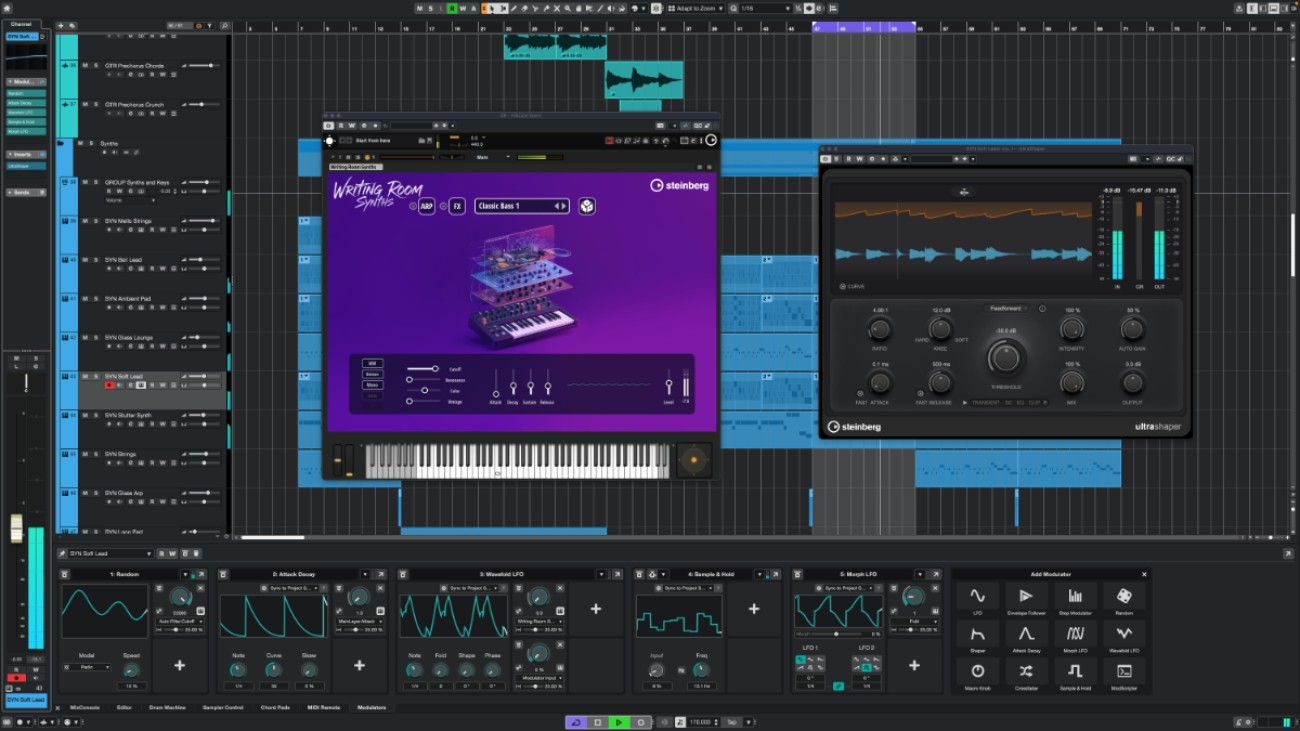
Cubase 15 Pro is an advanced DAW solution built for musicians, producers, sound engineers, and composers who require precision and flexibility in their workflow. Developed by Steinberg, a pioneer in audio software technology, Cubase has long been recognized as a reliable platform for professional audio production.

The software supports multi-track recording, MIDI sequencing, audio editing, and mixing within a single integrated environment. Its intuitive interface allows users to manage complex projects while maintaining efficiency. Cubase 15 Pro also includes a wide range of virtual instruments, effects, and sound libraries, making it suitable for creating music across various genres.

With powerful automation features, advanced audio editing tools, and support for third-party plugins (VST), Cubase is ideal for both studio production and post-production work. Whether composing film scores, producing electronic music, or recording live instruments, Cubase 15 Pro offers a comprehensive solution for modern audio workflows.


KEY FEATURES OF Cubase 15 Pro

  • Advanced multi-track audio recording and editing
  • Professional MIDI sequencing and composition tools
  • Built-in virtual instruments and sound libraries
  • High-quality audio effects and plugins
  • VST plugin support for extended functionality
  • Advanced mixing console with automation
  • Audio warping and pitch correction tools
  • Flexible routing and signal processing
  • Customizable workspace and workflow
  • Support for high-resolution audio formats
  • Integrated mastering tools
  • Efficient project management and export options

USE CASES

  • Music production for various genres
  • Film scoring and soundtrack creation
  • Podcast recording and editing
  • Audio post-production for video
  • MIDI composition and arrangement
  • Live instrument recording
  • Mixing and mastering audio tracks
  • Sound design and audio experimentation

SYSTEM REQUIREMENTS FOR Cubase 15 Pro

  • Operating System: Windows 10 / 11 (64-bit)
  • Processor: Intel Core i5 or AMD equivalent (multi-core recommended)
  • RAM: 8 GB minimum (16 GB recommended)
  • Storage: 50 GB free disk space
  • Graphics: DirectX-compatible GPU
  • Audio Hardware: ASIO-compatible audio interface recommended

FAQ (Frequently Asked Questions)

What is Cubase 15 Pro used for?
Cubase 15 Pro is a professional digital audio workstation (DAW) used for music production, audio recording, MIDI sequencing, mixing, and mastering.
Is Cubase 15 Pro suitable for beginners?
Cubase 15 Pro is designed mainly for intermediate to advanced users, but beginners can still learn it with time thanks to its structured interface and tutorials.
Does Cubase 15 Pro support VST plugins?
Yes, Cubase 15 Pro fully supports VST plugins, allowing users to expand their setup with third-party instruments and audio effects.
Can Cubase 15 Pro be used for film scoring?
Yes, Cubase is widely used for film scoring and soundtrack production due to its advanced MIDI tools and orchestration features.
Is Cubase 15 Pro available for Windows?
Yes, Cubase 15 Pro is available for Windows and requires a 64-bit operating system for optimal performance.
Steinberg Cubase 15 PRO v15.0.20 for Windows

Download Steinberg Cubase 15 PRO v15.0.20 for WindowsSteinberg, Steinberg Cubase, Audio Editor, Recorder, 64 Bit Software, DAWs

Steinberg Cubase 15 v15.0.20 Windows.rar
775 MB | Download Link | Pass: www.4download.net
DOWNLOAD NOW
Download Previous version

Comments 39

Respect yourself and others!


  1. Manoa
    Manoa
    Sunday at 08:14
    Followed the R2R xplanation and all step to install but it won't start cause of error while opened it
  2. X
    X
    11 April 2026 12:16
    It works with no problems? read the information and follow the directions!!!
  3. adrian
    adrian
    11 April 2026 06:51
    HOLA COMO LEGA EL ENLCE
  4. Ángel
    Ángel
    11 April 2026 06:18
    Does anyone know if it comes complete with the omni-vocal?
  5. MrX
    MrX
    11 April 2026 03:57
    how to download?
    1. Radhan
      Radhan
      Sunday at 22:38
      Simply click on your preferred download option. Once you're redirected to another website, a timer will appear counting down a few seconds. Wait for it, click the button that appears, wait for the timer to finish, click the button again, and that's it—the file will begin downloading.
  6. Archie
    Archie
    10 April 2026 13:17
    The problem is that these days, no one can wait 10 seconds for a link to appears.
  7. Sam
    Sam
    10 April 2026 11:50
    Link Redirecting to other site, Not Downloading...Please Fix.
    1. Radhan
      Radhan
      Sunday at 22:39
      Simply click on your preferred download option. Once you're redirected to another website, a timer will appear counting down a few seconds. Wait for it, click the button that appears, wait for the timer to finish, click the button again, and that's it—the file will begin downloading.
  8. Opal68
    Opal68
    10 April 2026 11:16
    Non parte il download
    1. Radhan
      Radhan
      Sunday at 22:41
      Simply click on your preferred download option. Once you're redirected to another website, a timer will appear counting down a few seconds. Wait for it, click the button that appears, wait for the timer to finish, click the button again, and that's it—the file will begin downloading.
  9. Gus
    Gus
    10 April 2026 10:31
    The link not work. And the new interface for downloads is a shit.
    1. Radhan
      Radhan
      Sunday at 22:43
      Simply click on your preferred download option. Once you're redirected to another website, a timer will appear counting down a few seconds. Wait for it, click the button that appears, wait for the timer to finish, click the button again, and that's it—the file will begin downloading.
  10. Guest Tom
    Guest Tom
    10 April 2026 09:33
    wtf scam shit
    1. Radhan
      Radhan
      Sunday at 22:46
      Simply click on your preferred download option. Once you're redirected to another website, a timer will appear counting down a few seconds. Wait for it, click the button that appears, wait for the timer to finish, click the button again, and that's it—the file will begin downloading.